
The Pathways Case Management process allows for complete documentation of a student intervention from the time the referral was issued until the case was closed.
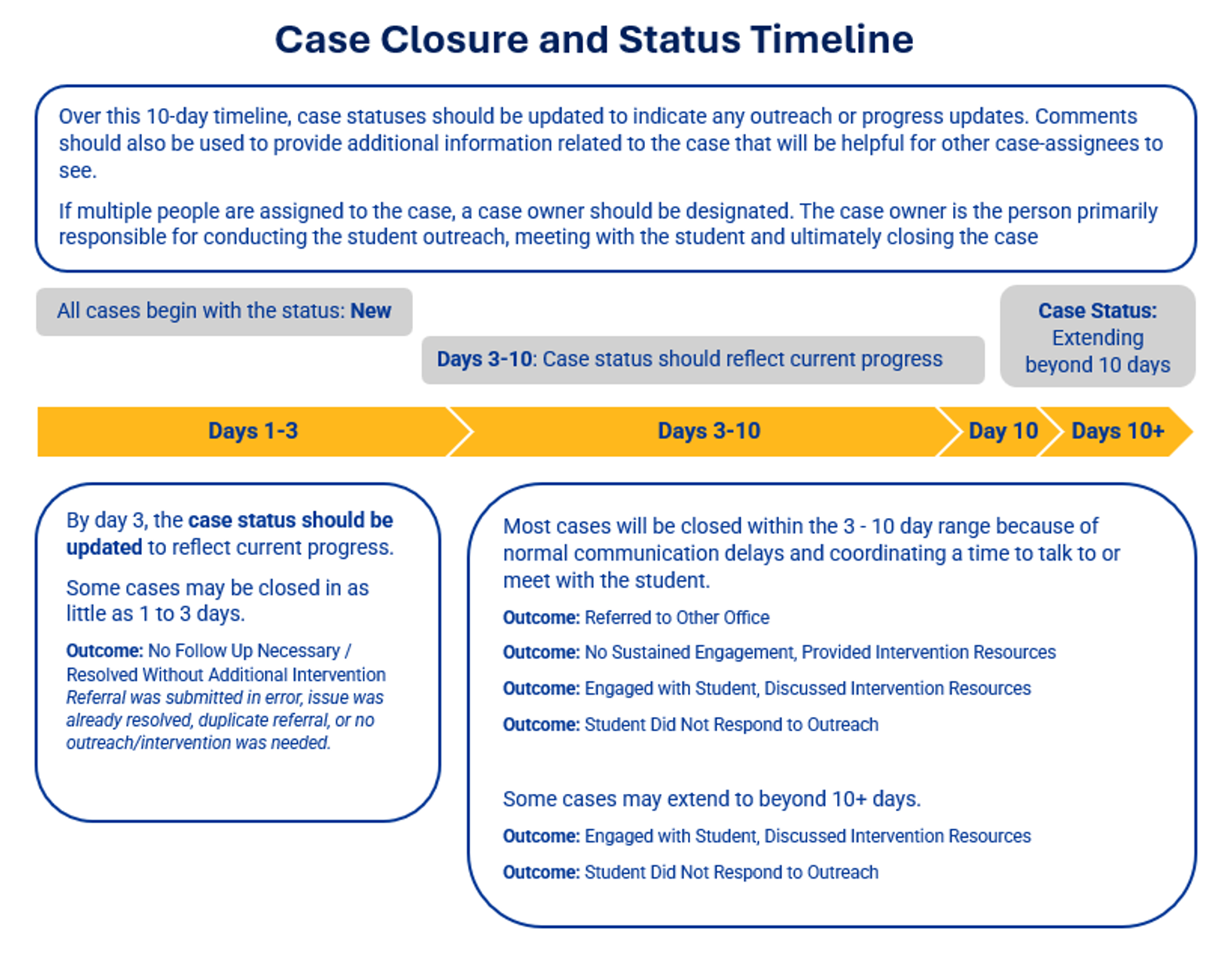
This case management process should be completed with the intention of providing timely intervention and closing the case, which usually can be done within 10 days as outlined in the graphic below.
Instructions for Managing a Case
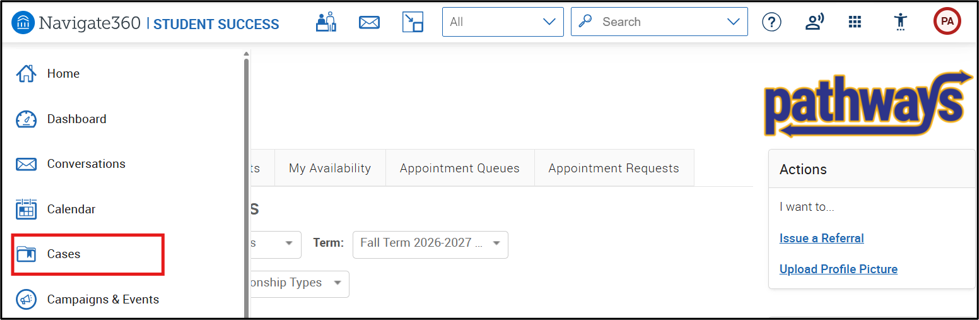
An email will be sent to you when you are assigned to a Case. Use the link to log into Pathways to manage the Case. You can also access cases from the Cases section of Pathways found in the left-hand menu.
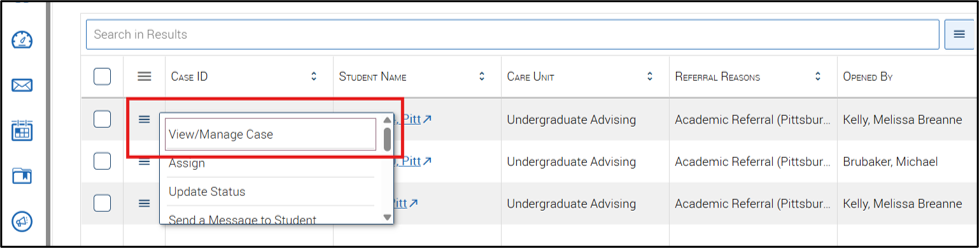
From the main Cases page, click the 3 line menu button to the left of a case to access available case actions. Common actions include managing the case, updating statuses, updating case assignees, and sending messages.
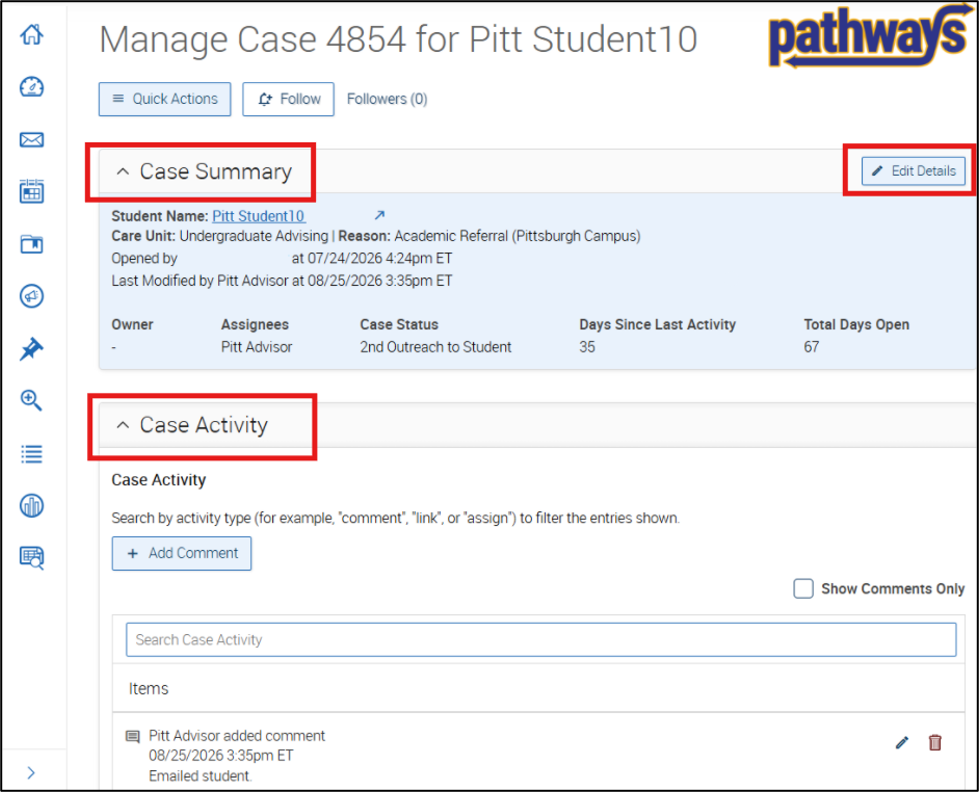
Clicking View/Manage Case from the menu options, or clicking on the Case ID number will open a new Case Details page in a separate tab. This page includes Case Summary, Case Activity, and expanded details and functionality. The Quick Actions button located at the top of the page allows users to take a variety of other actions in the platform such as messaging the student or messaging the person who issued the referral.
Click the Edit Details button to manage a case assigned to you.
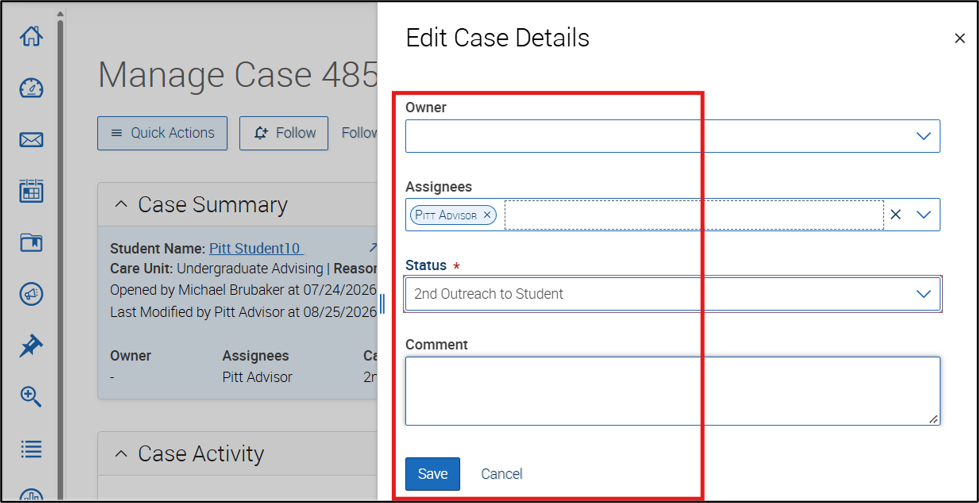
The Edit Case Details panel allows the user to edit all aspects of the case. This includes:
- Update case owners
- Assign or reassign cases
- Update case status
- Add comments
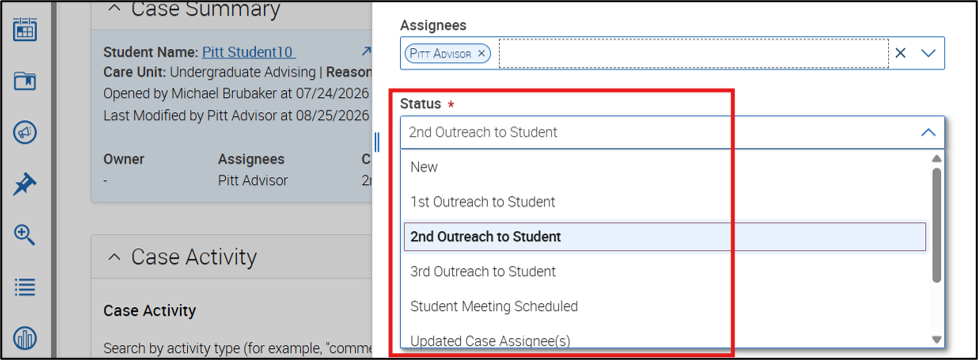
Interim case statuses are used to better monitor the ongoing progress of a case. Statuses do not need to be used sequentially; update the case to whichever status best reflects its current progress. Follow your individual unit’s recommended actions and follow-up.
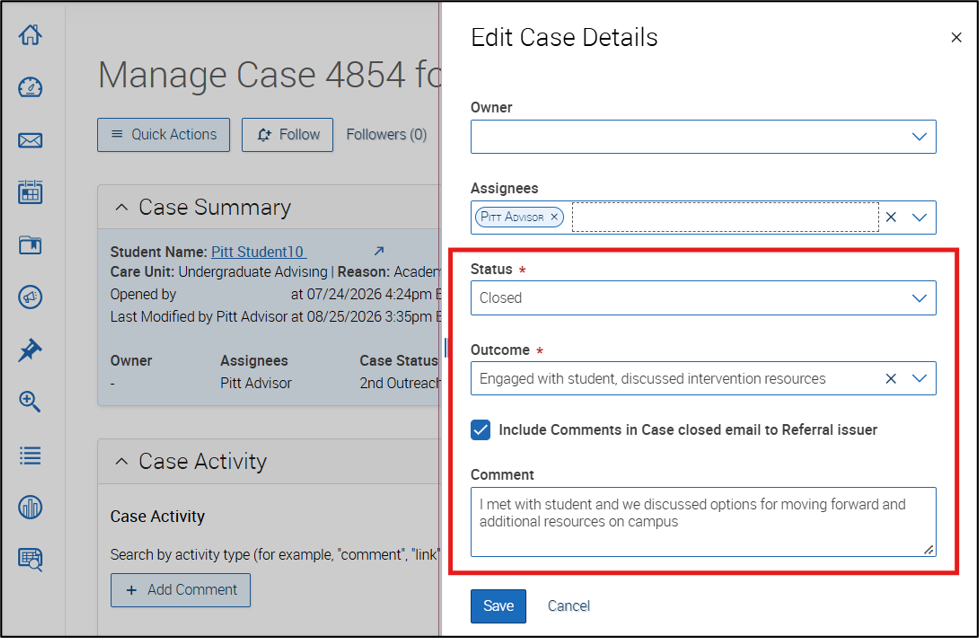
To close a case, you must update the status to ‘closed’. Closing the case sends an email to the person who issued the referral. When appropriate, select the box to “Include Comments in Case closed email to Referral issuer.”
If you select this box, any comments that you make when you close the case will be included in the Case Closed email. The Case Closed reason will always be visible in this email.
Notes about comment visibility
The person who issued the referral cannot see general comments that you add to the case. If you would like to communicate anything to the person who issued the referral, you will need to message or email them separately. Comments are for documentation purposes only – they are not a “conversation,” even though the initial comment may make it seem as such.
The only comment that you can make visible to the person who issued the referral is the Case Closed Comment.