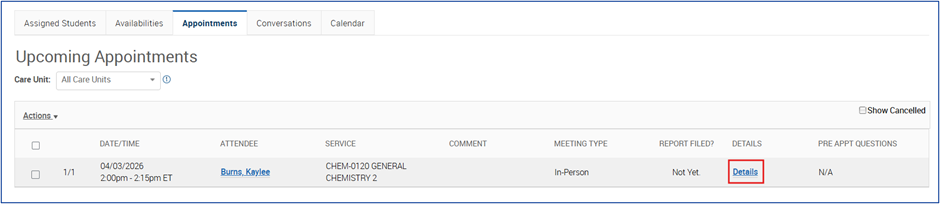
From your Upcoming Appointment tab on your Staff Home page, click on the Details link for the appointment you want to cancel.
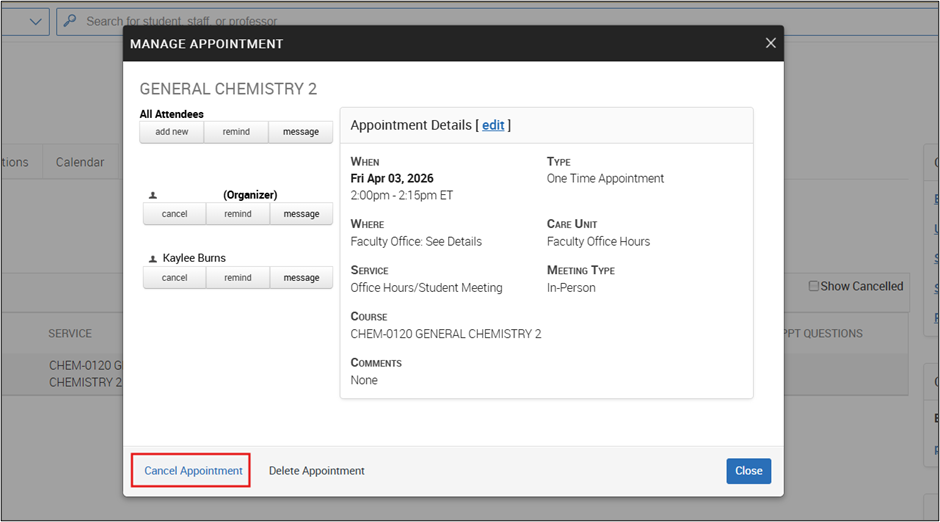
Click Cancel Appointment in the bottom let. Do NOT click on Delete Appointment.
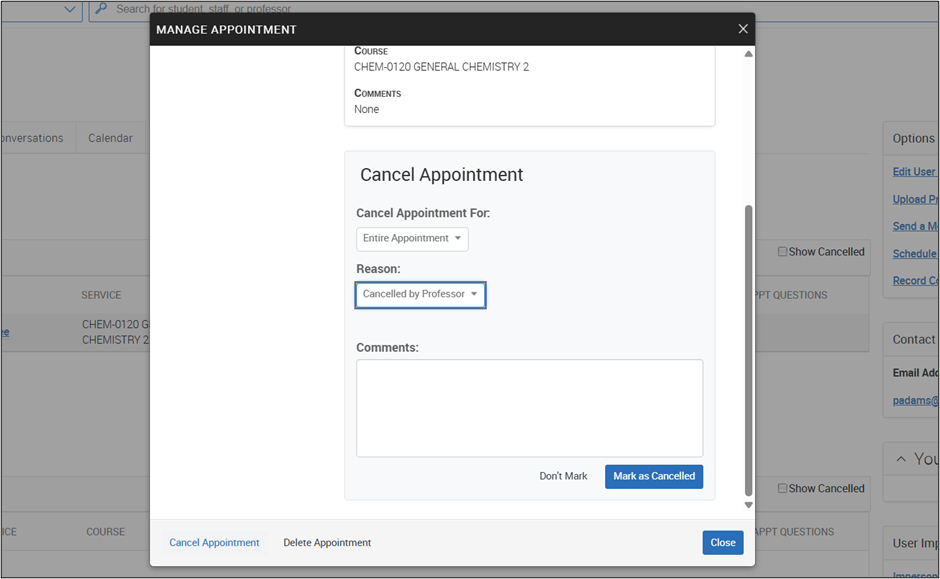
Make the selections below to cancel the appointment. Choose Entire Appointment under “Cancel Appointment For” and choose Cancelled by Professor for the “Reason.” Include any comments you would like the student to see. Click the blue Mark as Cancelled button.
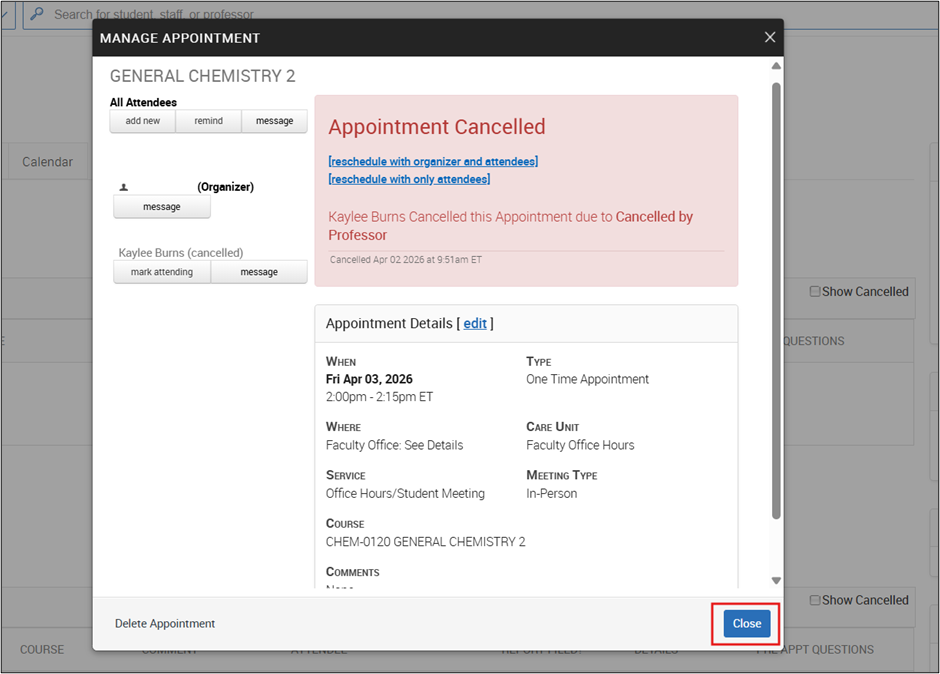
You will get confirmation that the appointment was canceled, then click Close. The student receive an email letting them know the appointment is cancelled, as well as see any comments you wrote.