Referrals should be used for non-emergency situation only. Find more information about referrals.
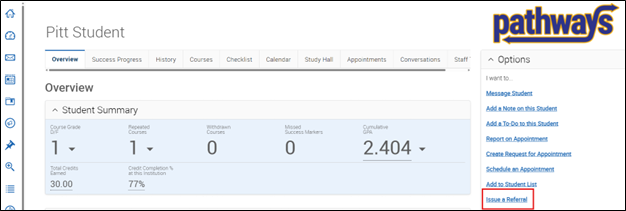
From the student’s page, click Issue a Referral on the right side of the screen in the Options container.
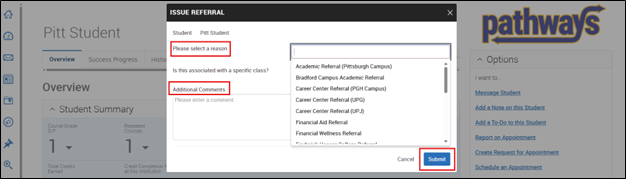
In the Referrals Window that pops up, use the drop-down menu to select a Referral Reason. Next, add appropriate comments that will be helpful for the office receiving the referral. When you are finished, click the blue Submit button.